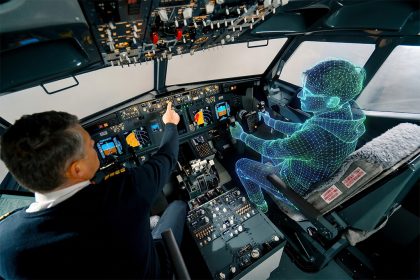

Screen-based trackers, wearable glasses, VR/XR headsets, and webcam-based eye tracking — what each one does, when to choose it, and how the 26+ supported devices compare.
Executive Summary
iMotions Lab integrates with four broad categories of eye tracking: screen-based eye trackers for monitors and mobile devices; wearable eye tracking glasses for real-world studies; VR and XR headsets with built-in eye tracking for immersive environments; and webcam-based eye tracking for online and remote studies.
Across these categories, iMotions Lab supports more than 25 research-grade devices from partners including Smart Eye, Pupil Labs, Varjo, Viewpointsystem, Argus Science, EyeTech, and Gazepoint, plus iMotions’ own proprietary webcam system, WebET 3.0. This article walks through every category, every supported device, and the research scenarios each one is built for.
Table of Contents
Why hardware choice matters more than people think
A common question from researchers new to eye tracking is some variant of “which eye tracker is best?” It is almost always the wrong question. Eye tracking is a family of methods, not a single technology, and the right device depends on three things: what you want the participant to do, what precision your research question requires, and where the study takes place.
A team testing a mobile app needs a different device than a team studying attention during a soccer match. A reading-psychology lab cares about sub-millisecond sampling; a consumer-insights agency cares about running 200 participants per week without logistics overhead. Choose the wrong category and no amount of analysis will rescue the data.
iMotions Lab’s job as a platform is to let the method fit the question rather than the other way around. The iMotions Lab software supports every major category of eye tracker, synchronizes the data with other biosensors (GSR, EEG, ECG, EMG, facial expression, voice), and produces a consistent set of metrics and visualizations regardless of which device captured the data. Below is a tour of what’s available and how to think about choosing.
| “Which eye tracker is best?” is almost always the wrong question. Eye tracking is a family of methods, not a single technology. |
The four categories of eye tracking, at a glance
Before diving into specific devices, it helps to understand what each category does well and where it breaks down.
| Category | What it is | Best for | Limitations |
|---|---|---|---|
| Screen-based | Infrared sensor below a monitor; the participant sits still | UX research, advertising, reading studies, clinical tasks on screen | Participant must sit in front of a screen; limited head movement |
| Wearable glasses | Cameras in the frames of lightweight glasses | Shopping, sports, driving, training, any mobile task | Higher cost; data volume; outdoor lighting handling varies by model |
| VR/XR headsets | Eye tracking built into a virtual or mixed reality headset | Immersive training, simulation, 360° content, exposure therapy | Requires VR-capable content; headset cost |
| Webcam-based | Standard laptop camera plus computer vision | Large-scale online studies, remote panels, classrooms | Lower accuracy (~1.5–2° vs ~0.5° for IR systems); lighting-sensitive |
A quick vocabulary check
• Sampling rate (Hz): how many gaze points the device records per second. 60 Hz is standard for UX; 120–250 Hz is needed for reading and micro-saccade research.
• Accuracy (degrees): the average angular error between reported gaze and actual gaze. Research-grade systems reach ~0.5°; webcam systems sit at ~1.5–2°.
• Calibration: a short setup step where the participant looks at moving dots so the system can map eye position to screen coordinates. Some newer devices have eliminated this step entirely.
• Areas of Interest (AOIs): the regions of a stimulus you want to analyze separately — a logo, a button, a face. Static AOIs cover images; dynamic AOIs follow moving targets in video.
• Fixation: a moment where the eye is held relatively still on a point (~200–300 ms). Saccade: the rapid jump between fixations.
1. Screen-based eye tracking
Screen-based eye tracking is the classic research setup: a small bar sits below the participant’s monitor, emits near-infrared light, and tracks the reflection pattern in the eyes while the participant interacts with whatever is on screen — a website, a video, a user interface, a set of images. It is the workhorse of UX research, advertising testing, reading studies, and most clinical cognitive tasks.
iMotions Lab supports screen-based eye tracking through its Screen-Based Eye Tracking Module, which integrates with devices from Smart Eye, Gazepoint, and EyeTech, plus legacy SMI systems. The module delivers more than 40 metrics — time to first fixation, time spent, revisits, fixation count, mouse clicks, keystrokes, distance to screen, pupil diameter — and a suite of visualizations including heat maps, gaze replays, and gaze mapping across aggregated participants.
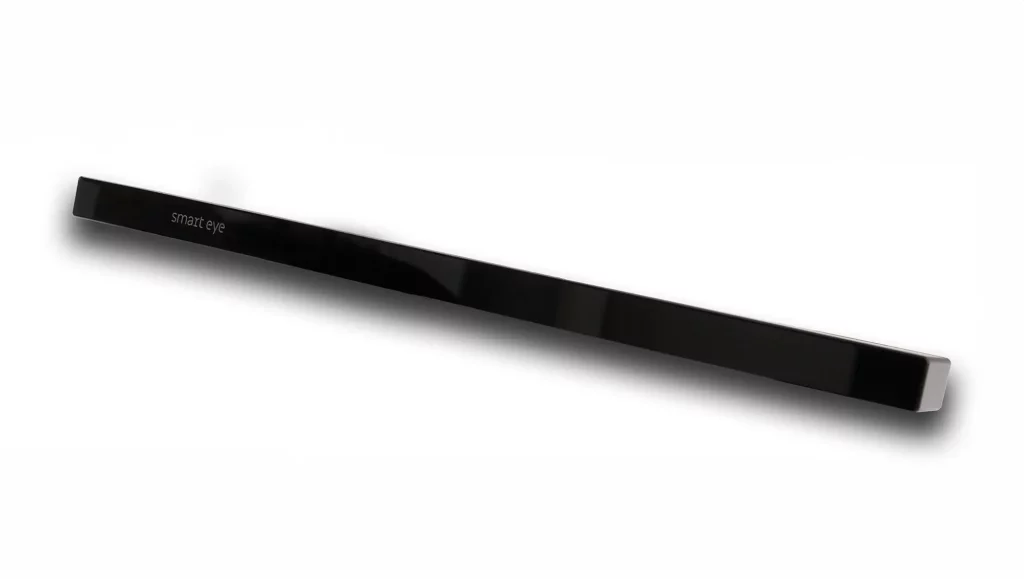
Smart Eye AI-X
The Smart Eye AI-X is the newest addition to Smart Eye’s compact screen-based range. It runs at 60 Hz, attaches to a laptop, and is designed specifically for portable labs and large-N studies where the researcher moves to the participant rather than the other way around. For consumer-insight agencies running shopping-centre intercepts or universities running studies in multiple classrooms, the AI-X’s small footprint is the differentiator. It supports screens up to 24 inches.
Choose the AI-X when portability and study volume matter more than the highest possible sampling rate — and when your research question does not require detecting micro-saccades.
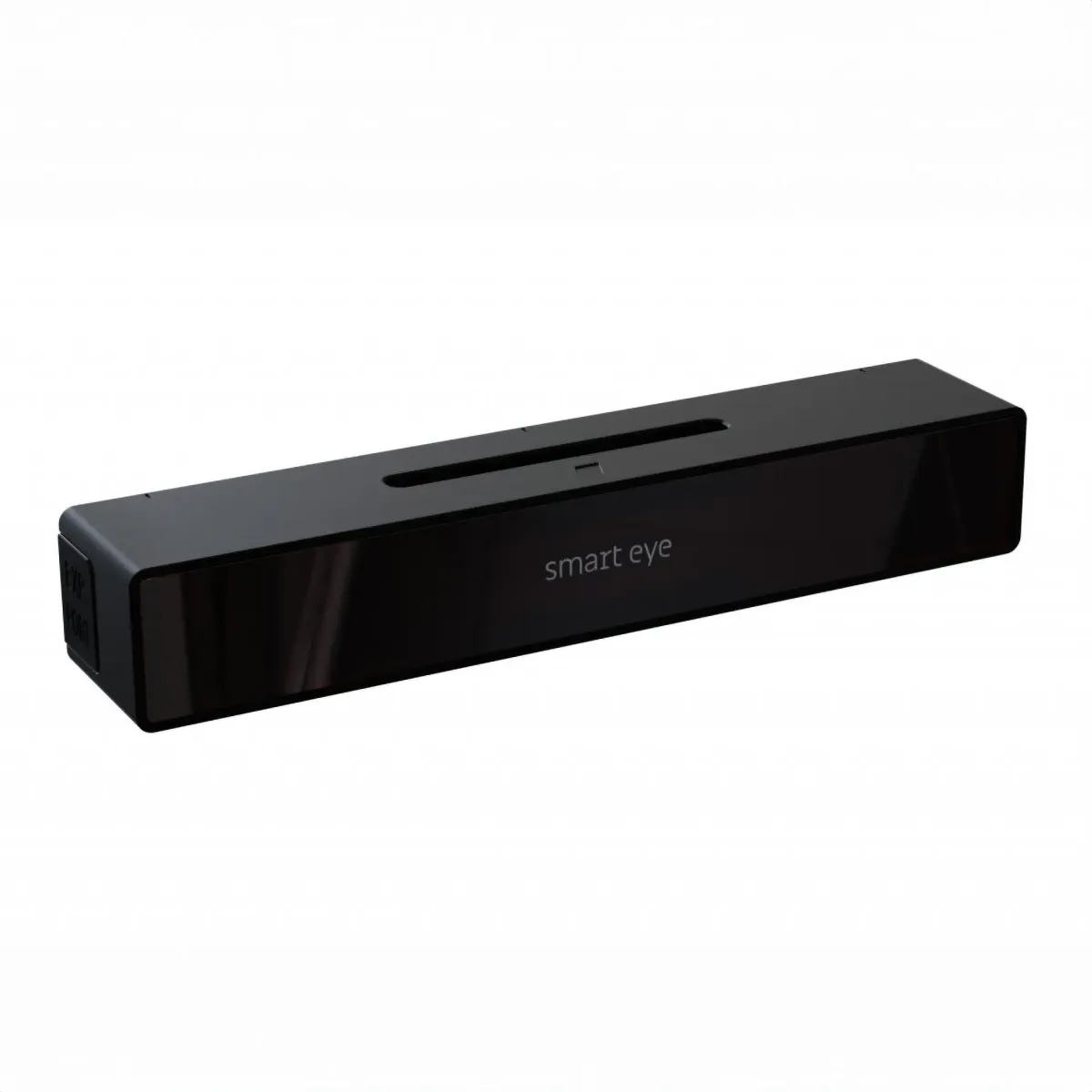
Smart Eye Aurora
The Aurora is Smart Eye’s high-performance screen-based tracker, available in 30, 60, 120, and 250 Hz configurations. The 250 Hz option is the one that matters for reading research, psycholinguistic studies, and any task where short fixations and saccade kinematics are the dependent variable. Dual high-definition sensors handle lighting variation well, and the small form factor means the Aurora can move between lab stations or between desktop and mobile device testing (via a dedicated Smart Eye mobile testing stand) without reconfiguration.
The Aurora is a natural fit for psychology and neuroscience labs that run a mix of study types and need one device to serve them all.
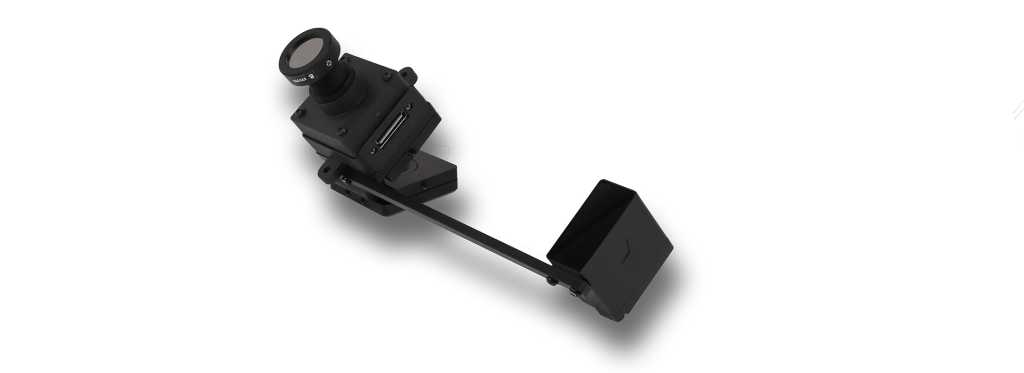
Smart Eye Pro 60 Hz
Smart Eye Pro is a multi-camera system aimed at research-grade setups — driving simulators, flight simulators, clinical assessment rigs, and situations where the participant needs more head-movement tolerance than a compact tracker can provide. It is the step up from Aurora when your headbox matters: when participants will turn their head, lean forward, or simply cannot be asked to hold still. The trade-off is installation complexity.
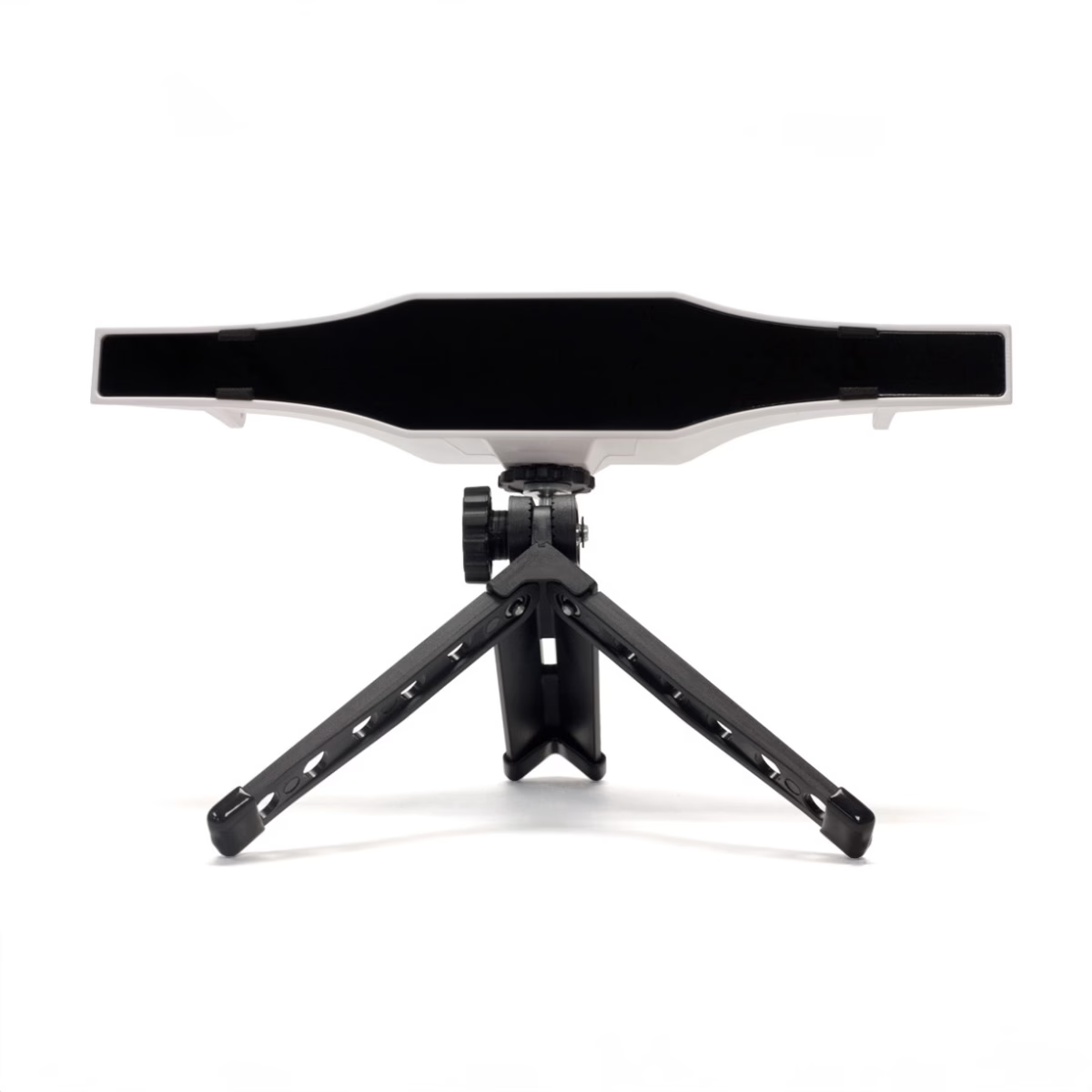
Gazepoint GP3 and GP3 HD
Gazepoint makes the most affordable research-grade eye trackers iMotions sells. The GP3 runs at 60 Hz and is well suited to teaching labs, undergraduate method courses, and consumer studies where budget caps are firm. The GP3 HD steps up to 150 Hz — a meaningful upgrade for any study involving reading, attention shifts, or time-sensitive comparisons. For academic labs operating on grant budgets, the GP3 HD often hits the sweet spot of acceptable precision at a price that allows buying more units and running more participants in parallel.
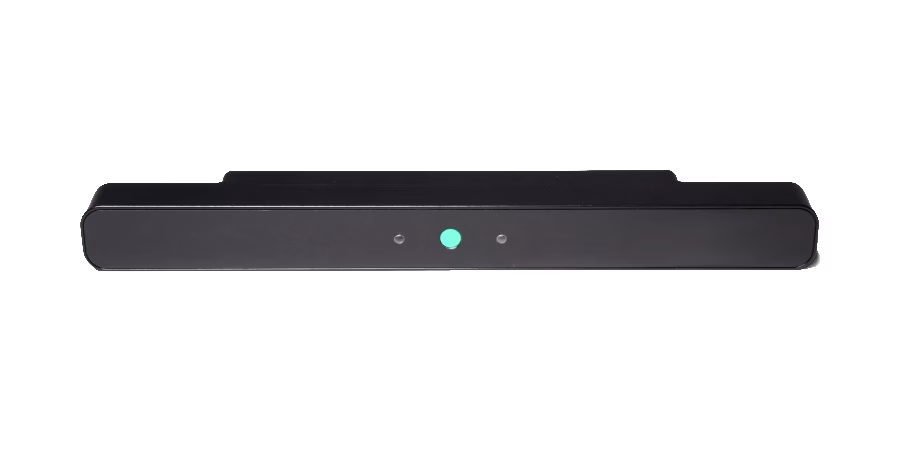
EyeTech VT3 Mini
EyeTech’s VT3 Mini is the smallest option in iMotions’ screen-based lineup. Originally developed for accessibility and assistive-technology applications, it also appears in research settings where unobtrusiveness is a priority. Availability is currently limited; check with iMotions before planning a study around it.
Choosing a screen-based eye tracker
If you need: portability, laptop-attachable, large-N studies→ Smart Eye AI-X
If you need: reading, micro-saccade, or high-temporal-resolution research→ Smart Eye Aurora (120 or 250 Hz)
If you need: head-movement tolerance, simulator or clinical environments→ Smart Eye Pro
If you need: the lowest cost research-grade option→ Gazepoint GP3 (60 Hz) or GP3 HD (150 Hz)
2. Eye tracking glasses (wearable)
Wearable eye tracking glasses move eye tracking out of the laboratory and into the real world. Cameras embedded in the frames record both the wearer’s gaze and a video of the scene in front of them, producing a dataset that shows what the participant saw and where they looked while they shopped, drove, played sports, operated machinery, or walked through a museum. For any study where the participant needs to move, wearable glasses are the only viable category.
iMotions Lab’s Eye Tracking Glasses Module supports hardware from Pupil Labs, Viewpointsystem, Argus Science, and legacy SMI systems. The module provides live streaming for real-time qualitative review, built-in quality-assurance tools, aggregated gaze replays, static and dynamic AOIs with manual and semi-automated placement, and more than 30 automated metrics including time to first fixation, time spent, revisits, and fixation count. Dynamic scenes can be analyzed further with the Automated AOI add-on module, which tracks a defined area across video frames.
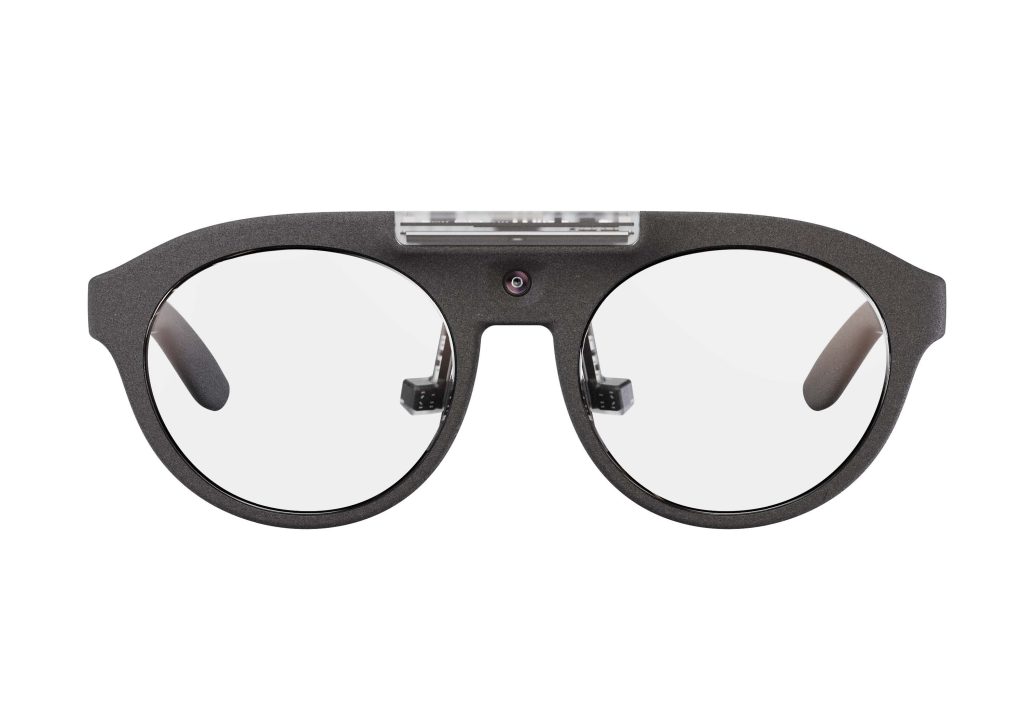
Pupil Labs Neon
Pupil Labs Neon is the most influential eye tracking glasses release of the past several years. Its central feature is NeonNet, a deep-learning gaze-estimation pipeline that eliminates calibration entirely — the device starts producing valid data the second it is placed on the participant’s face. Combined with performance across the full lighting range (bright sunlight to complete darkness) and a simple USB-C connection to a phone or computer, Neon has become the go-to wearable for naturalistic studies where calibration time and environmental control were previously major constraints.
Neon is sold as a core hardware module That can be put in to a range of frame options. The module itself — the cameras, microphones, and IMU encased in water-resistant silicone — is constant; the frame determines the form factor, use case, and prescription-lens compatibility. iMotions sells the full range:
| Neon frame | Built for | Notable feature |
|---|---|---|
| Just Act Natural | General-purpose research | The default frame; works for most studies |
| I Can See Clearly Now | Prescription-lens wearers | Full rim; standard lens kit |
| I Can Track Clearly Now | Prescription-lens wearers | Variant frame design |
| Is This Thing On? | Everyday-wear aesthetic | Casual frame styling |
| Ready Set Go! | Sports and high-movement | Secure fit for running and athletic tasks |
| Better Safe Than Sorry | Industrial / workplace safety research | Safety-glasses frame design |
| The Goggles | Extreme environments | Goggle form factor; dust and impact resistance |
| Crawl Walk Run | Young children (ages 2–8) | Child-sized frame with secure fit |
| All Fun and Games | Young children (ages 2–8) | The only eye tracking frame designed specifically for kids |
| Bare metal (module only) | Custom integrations | Module without a frame — for 3D-printed housings or VR integration |
An Extended Range Lens Kit is available for Neon wearers with stronger prescriptions than the standard -3 to +3 diopter range supports. The “All Fun and Games” frame is worth a specific mention: it is currently the only eye tracking glasses system on the market designed from the ground up for children, which matters for early-childhood development research, autism-spectrum attention studies, and educational psychology.
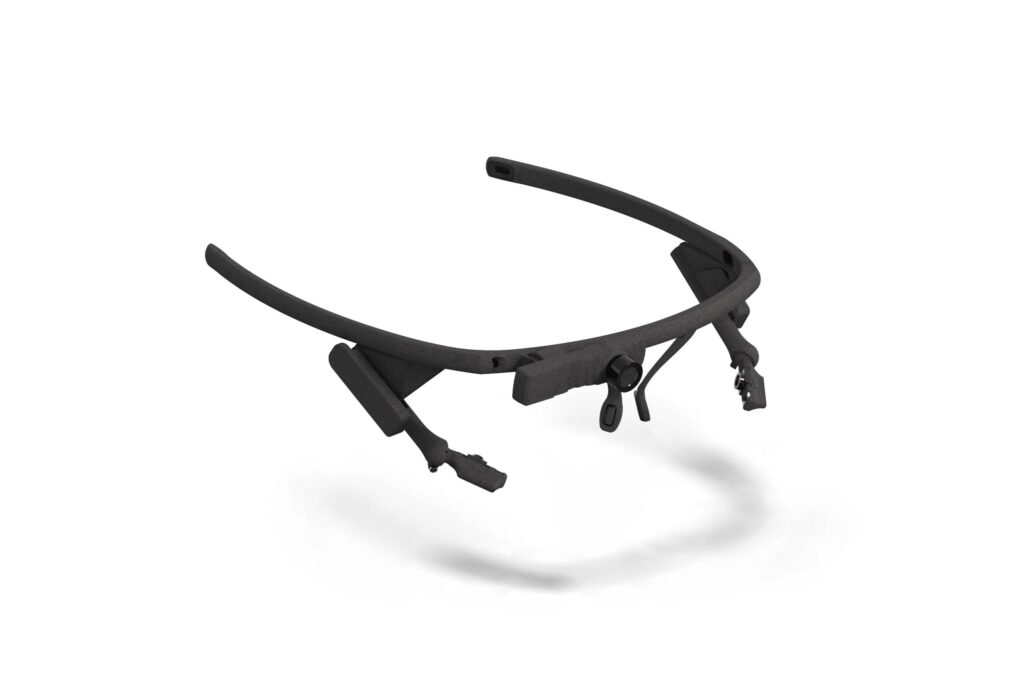
Pupil Core
Pupil Core is the platform on which Pupil Labs built its reputation. It is modular, its software is open-source, and it is powered and connected via USB — which means recording time depends on the host computer, not an internal battery. Pupil Core is not a plug-and-play solution; it rewards researchers who want to customize hardware and software and who can handle some technical setup. For expert users, that flexibility is precisely the appeal.
For researchers who want the scientific credentials of Pupil Labs but the convenience of a turn-key system, Neon is usually the better fit.
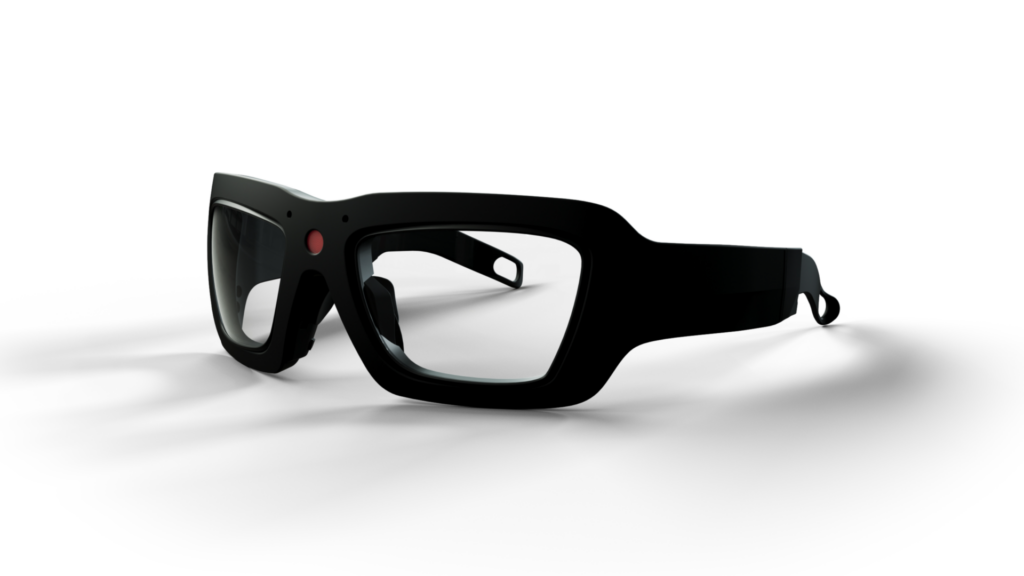
Viewpointsystem VPS 19
The Austrian-engineered VPS 19 is a calibration-free, industrial-grade alternative to the Neon. Where Neon leans toward naturalistic research and consumer studies, the VPS 19 is positioned for workplace, ergonomics, and industrial human-factors studies — contexts where durability and a confident data record without participant-specific calibration are the priorities. A dedicated VPS19 Lenses Pack handles prescription wearers.
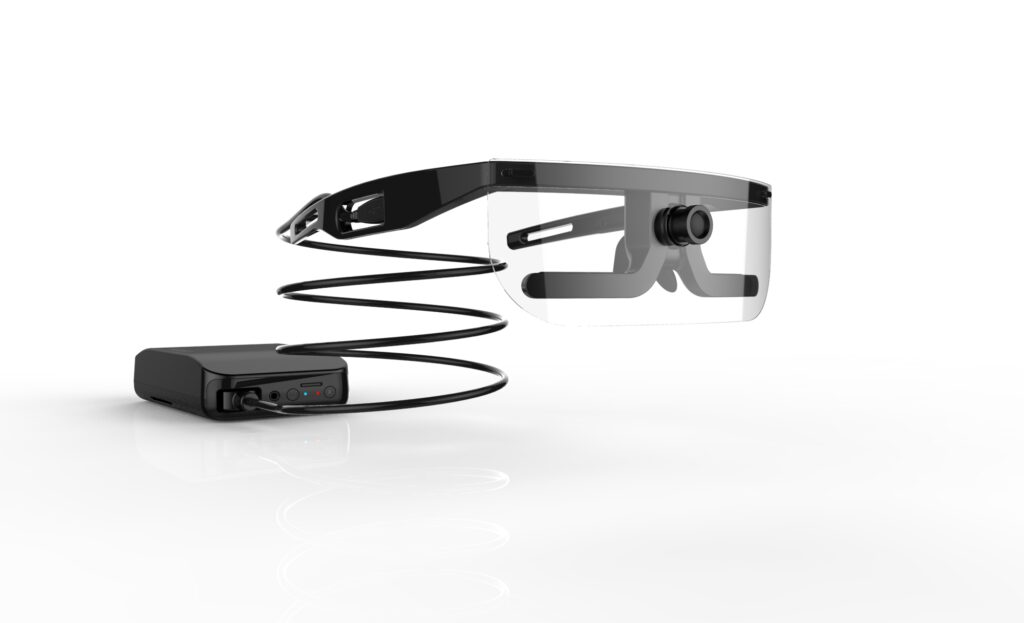
Argus Science ETVision
Argus Science is a long-established name in research-grade mobile eye tracking, with a particular presence in flight simulation, driving research, and human-factors studies. The ETVision system pairs with iMotions Lab’s for environments where accuracy and established methodology are more important than calibration-free convenience.
If the participant needs to move, walk, play, drive, or work, wearable glasses are the only viable category.
Choosing eye tracking glasses
If you need: fast setup, no calibration, wide lighting range, general-purpose
→ Pupil Labs Neon (Just Act Natural frame)
If you need: children as participants
→ Neon All Fun and Games or Crawl Walk Run
If you need: sports, running, physical activity
→ Neon Ready Set Go!
If you need: industrial / workplace research, safety glasses
→ Neon Better Safe Than Sorry or Viewpointsystem VPS 19
If you need: maximum customization and open-source software
→ Pupil Core
If you need: established research-grade accuracy in flight/driving studies
→ Argus Science ETVision
3. VR and XR eye tracking
Eye tracking inside virtual and mixed reality is the newest category, and the one evolving fastest. VR eye tracking opens up study designs that are impractical or impossible in the physical world: testing a user interface in a driving simulator, measuring attention during an immersive training scenario, studying exposure responses to fears or phobias, or analyzing attention across fully synthetic retail environments. It also enables foveated rendering, where the headset renders only the area currently being looked at in full resolution, reducing GPU load.
iMotions Lab’s VR Eye Tracking Module integrates with headsets from Varjo and HTC Vive Pro Eye. For 360° video stimuli, setup is straightforward and requires no custom development. For interactive 3D environments where participants move and interact with objects, Unity scripting experience is required to import the necessary integration packages.
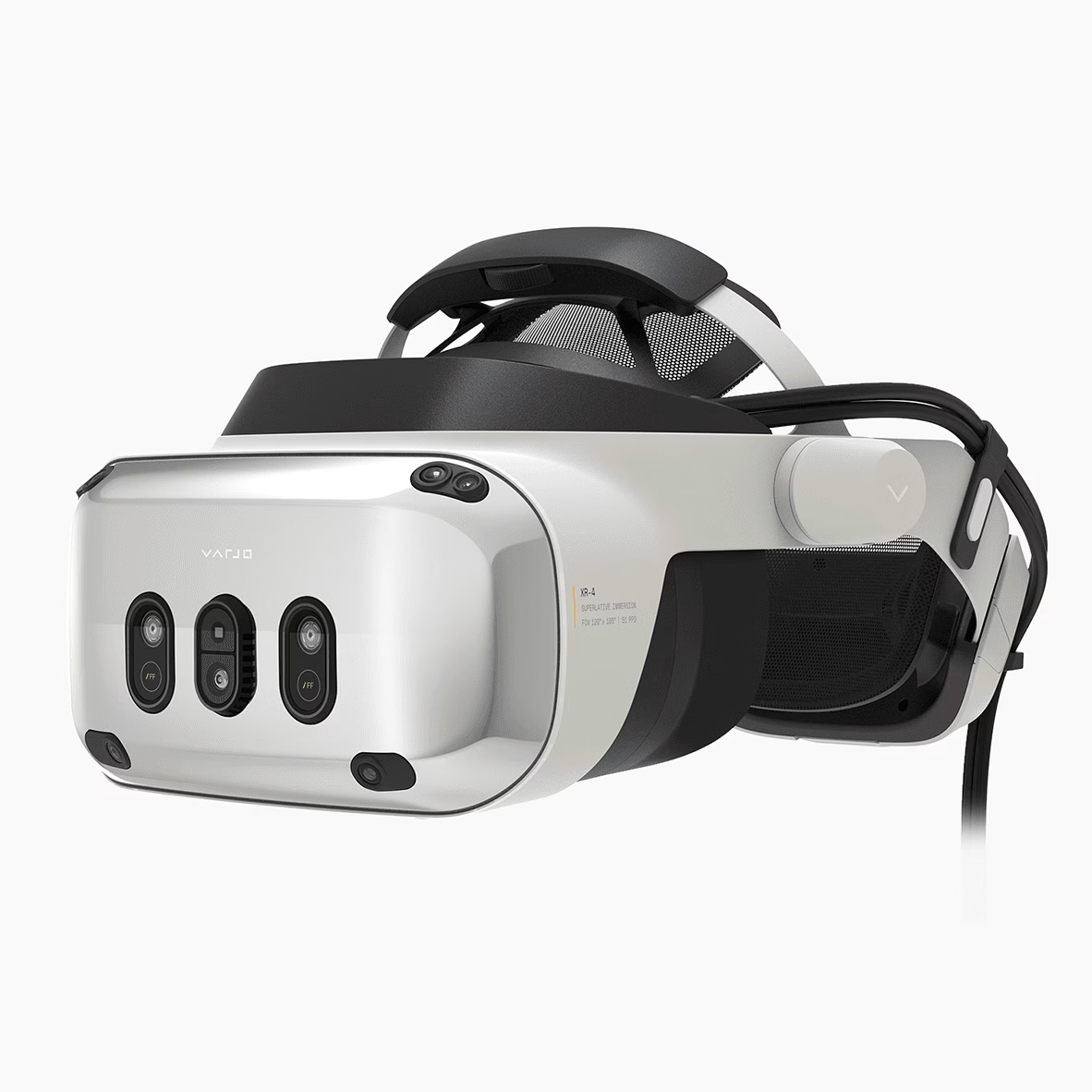
Varjo XR-4
The XR-4 is Varjo’s current-generation flagship and the default choice for most new VR eye-tracking research programs. It combines high-resolution passthrough mixed-reality with integrated eye tracking, which is what enables studies that mix physical and digital elements — like testing a physical cockpit control while virtual scenery plays around it. It is heavily used by automotive, aerospace, and medical training organizations.
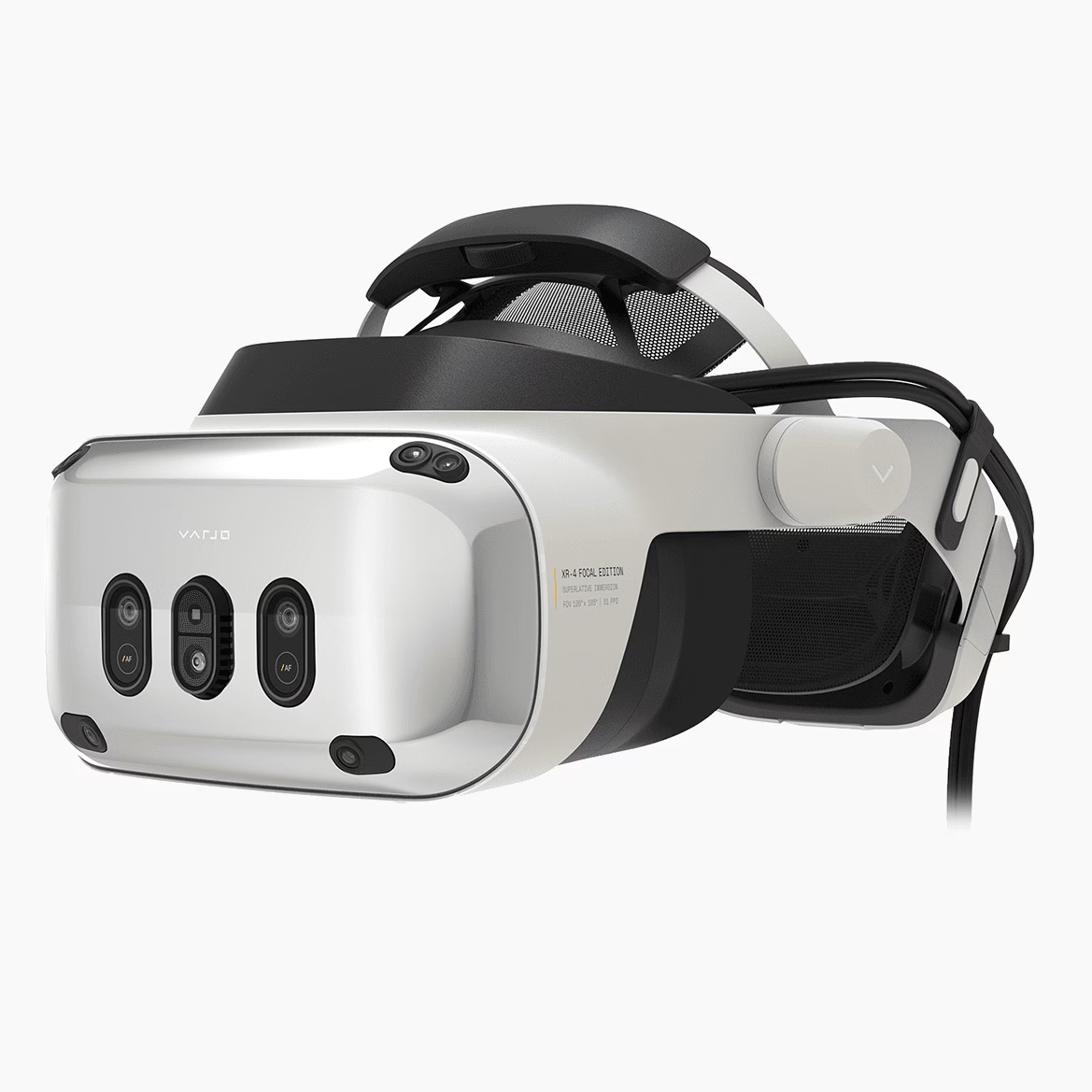
Varjo XR-4 Focal Edition
The Focal Edition adds dual focal planes — the only headset on the market with this capability. Why it matters: a standard VR headset renders everything at the same virtual distance, which creates eye-strain and accommodation mismatches when participants look at close-range content. For flight simulators, surgical simulators, and any training scenario with both near and far content in the same field of view, the Focal Edition produces more realistic eye behavior and more comfortable long sessions.
Varjo XR-3 and VR-3
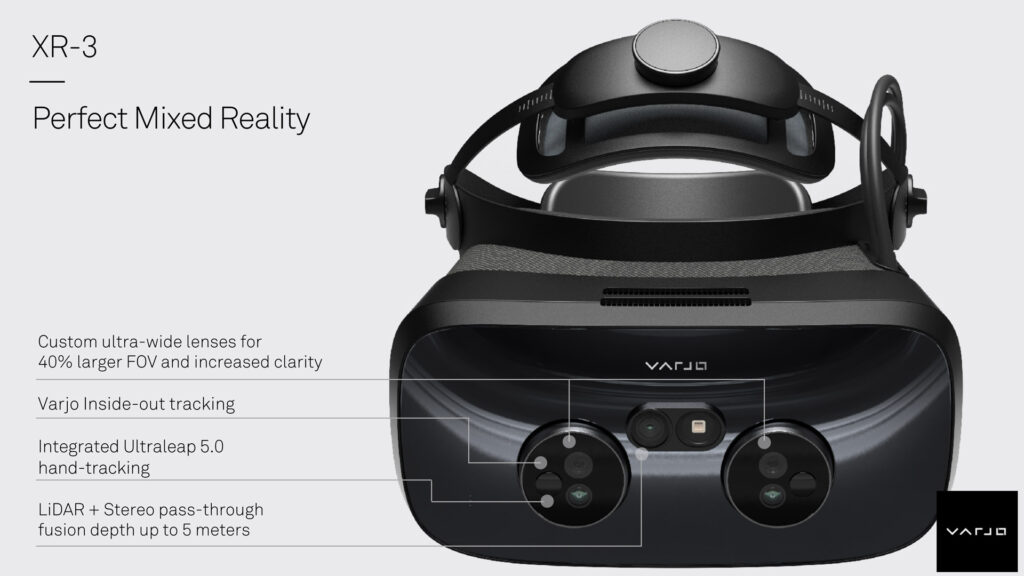
Both the XR-3 (mixed reality) and the VR-3 (pure VR) are previous-generation Varjo flagships. New purchases are directed to the XR-4 line, but both remain widely cited in published research and both are still supported in iMotions Lab. Labs that already own XR-3 or VR-3 hardware do not need to upgrade for software compatibility reasons.
HTC Vive Pro Eye
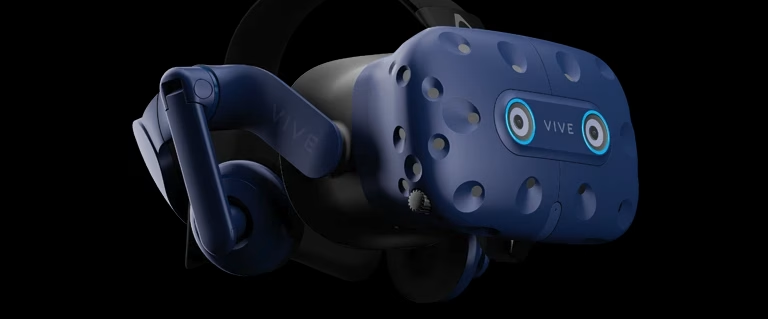
Vive Pro Eye is the more affordable option in the supported-headset list. It offers built-in eye tracking integrated with iMotions Lab’s VR module and is a good entry point for labs building out VR research capability for the first time without the Varjo budget. SteamVR Base Station 2.0 is also available through iMotions for room-scale tracking setups.
Choosing a VR/XR eye tracking headset
If you need: current-generation mixed reality flagship, broad use cases
→ Varjo XR-4
If you need: realistic near- and far-field content in training/simulation
→ Varjo XR-4 Focal Edition
If you need: entry-level VR with eye tracking
→ HTC Vive Pro Eye
If you already own: Varjo XR-3 or VR-3
→ Keep using it; iMotions Lab supports both
4. Webcam-based eye tracking — iMotions WebET 3.0
WebET 3.0 is iMotions’ proprietary webcam eye tracking system, and it solves a problem none of the other categories can: studies that need to reach hundreds or thousands of participants who will never visit a lab. Using only the front-facing camera already built into a laptop, WebET 3.0 tracks gaze in the browser, produces heat maps, gaze paths, and AOI metrics, and integrates with the same iMotions Lab analysis workflows as the IR-based systems.
The core trade-off is accuracy. Infrared eye trackers achieve roughly 0.5° of visual angle; webcam systems sit at around 1.5–2°. For reading research, micro-saccade studies, or any task requiring pixel-precise gaze on small targets, that gap is disqualifying. For UX studies on reasonably large interface elements, video content testing, package design, and consumer-research surveys, it is often immaterial — and the ability to recruit 500 participants in a week rather than 50 in a month changes the shape of what studies become practical.
WebET 3.0 has been validated against a state-of-the-art infrared eye tracker (a detailed whitepaper is available here). It can also be combined with facial expression analysis and voice analysis from the same webcam feed, which is a combination no IR system can match — a single participant session captures gaze, emotion, and vocalization simultaneously.
When webcam eye tracking is the right choice
- Large-scale consumer studies where recruiting 500+ participants online is cheaper than bringing 50 into a lab.
- A/B testing of digital creative: ads, landing pages, video content, product packaging images.
- Classroom and education research where students use their own laptops.
- Remote panel work in markets where lab infrastructure is impractical.
- Pilot studies before committing to an IR-based lab build-out.
When to pick an IR eye tracker instead
- Reading or psycholinguistic research requiring sub-degree accuracy on text.
- Clinical or diagnostic work where measurement uncertainty must be minimized.
- Studies with small on-screen targets (buttons under ~50px, small icons).
- Pupillometry research where precise pupil-size measurement matters.
Every supported eye tracker at a glance
The table below is the compact reference version — every device iMotions Lab supports, arranged by category, with the key specs and the research scenario each is built for. Use it to shortlist before reading the detailed section above.
| Device | Category | Sampling | Calibration | Primary use |
|---|---|---|---|---|
| Smart Eye AI-X | Screen | 60 Hz | Yes | Portable UX, consumer research |
| Smart Eye Aurora | Screen | 30–250 Hz | Yes | Reading, psycholinguistics, flexible labs |
| Smart Eye Pro 60 Hz | Screen | 60 Hz | Yes | Simulators, clinical, high head tolerance |
| Gazepoint GP3 | Screen | 60 Hz | Yes | Teaching labs, entry-level research |
| Gazepoint GP3 HD | Screen | 150 Hz | Yes | Budget-conscious academic research |
| EyeTech VT3 Mini | Screen | Varies | Yes | Accessibility, compact research setups |
| Pupil Labs Neon (all frames) | Glasses | 200 Hz | No | Real-world, naturalistic, sports, children |
| Pupil Core | Glasses | Up to 200 Hz | Yes | Custom research, open-source development |
| Viewpointsystem VPS 19 | Glasses | 60 Hz | No | Industrial, workplace, ergonomics |
| Argus Science ETVision | Glasses | Up to 180 Hz | Yes | Flight, driving, established research |
| Varjo XR-4 | VR/XR | ~200 Hz | Per headset | Current-gen mixed reality research |
| Varjo XR-4 Focal Edition | VR/XR | ~200 Hz | Per headset | Training/simulation with near-field content |
| Varjo XR-3 | VR/XR | ~200 Hz | Per headset | Previous-gen XR (existing labs) |
| Varjo VR-3 | VR/XR | ~200 Hz | Per headset | Previous-gen VR (existing labs) |
| HTC Vive Pro Eye | VR/XR | ~120 Hz | Per headset | Entry-level VR research |
| iMotions WebET 3.0 | Webcam | ~30 Hz | Browser-based | Online, remote, classroom studies |
Sampling rates and accuracy figures above are typical values; consult the individual product page for vendor-confirmed specifications for your exact configuration.
How to actually choose
Three questions resolve most of the decision. Answer these in order and the category — and usually the specific device — becomes obvious.
1. Where does the participant need to be?
If they sit at a screen, you want a screen-based tracker. If they move through a physical environment, you want glasses. If they are in a virtual environment, you want a VR/XR headset. If they are in their own home on their own laptop, you want webcam-based.
2. How precise does the measurement need to be?
Reading research, micro-saccade research, clinical diagnostics, and small-target interfaces need research-grade IR accuracy (~0.5°) and often high sampling rates (120 Hz+). Most UX, advertising, and consumer research does not — 60 Hz and ~1° is plenty.
3. How many participants and how quickly?
A lab running 20 participants a month for a deep study behaves differently than an agency running 500 a week for stimulus optimization. If volume and throughput dominate, webcam-based WebET 3.0 is often the right answer even when IR would technically be more precise. The data you actually collect beats the data you theoretically could have collected.
The data you actually collect beats the data you theoretically could have collected.
Don’t stop at eye tracking alone
One of the reasons iMotions Lab exists as a platform rather than a single-product company is that eye tracking rarely answers a research question on its own. Gaze tells you where attention went; it does not tell you whether the person was stressed, engaged, confused, or surprised when they looked.
That comes from the other biosensors iMotions Lab synchronizes with eye tracking in one timeline: GSR/EDA for arousal, EEG for cognitive load and engagement, ECG for stress, facial expression analysis for emotional valence, voice analysis for affect and sentiment, and EMG for specific muscle activity.
Every eye tracker listed above can be combined with any of these sensors on the same participant in the same session. That multimodal combination is what distinguishes research-grade human-behavior studies from single-signal measurements — and it is the reason the category of hardware matters less than many buyers assume. Once you’re working inside iMotions Lab, switching between a screen-based tracker and a pair of glasses is a configuration change, not a re-platforming exercise.
Frequently asked questions about eye tracking in iMotions Lab
What is the difference between screen-based eye tracking and eye tracking glasses?
Screen-based eye tracking uses a stationary sensor below a monitor and requires the participant to sit in front of the screen. Eye tracking glasses are worn by the participant and follow their gaze as they move through the physical world. Screen-based is the right choice for on-screen tasks (websites, videos, images); glasses are required for anything mobile.
Do all eye trackers require calibration?
No. Traditional systems require a short calibration step where the participant looks at moving dots on screen. Newer systems — most notably Pupil Labs Neon and Viewpointsystem VPS 19 — use deep-learning gaze estimation and eliminate calibration entirely. This matters most in field research, with children, or with participants who cannot easily follow calibration instructions.
Can I use eye tracking on a mobile phone?
Yes, in two ways. For quick-and-dirty studies, the phone’s front-facing camera can be used, but accuracy will be low. For research-grade mobile-device testing, mount the phone on a dedicated stand and use a screen-based tracker like the Smart Eye Aurora that supports phone-stand configurations. The iMotions Lab Screen-Based Eye Tracking Module handles both.
Do eye tracking glasses work with prescription lenses?
Almost all do, typically in the -3 to +3 diopter range. Both the Pupil Labs Neon range and the Viewpointsystem VPS 19 have dedicated prescription-lens kits. For stronger prescriptions, Neon offers an Extended Range Lens Kit.
Are there eye tracking glasses designed for children?
Yes. The “All Fun and Games” frame for Neon by Pupil Labs is currently the only eye tracking glasses system designed specifically for children, aimed at ages roughly 2–8. The “Crawl Walk Run” frame covers a similar age range with a different fit.
How accurate is webcam eye tracking?
iMotions WebET 3.0 has been validated against a state-of-the-art infrared eye tracker. Typical accuracy is around 1.5–2° of visual angle, compared to ~0.5° for research-grade IR systems. For most UX, advertising, and consumer-research tasks, that accuracy is sufficient; for reading or micro-saccade research it is not.
What brands of eye tracker does iMotions Lab support?
Screen-based: Smart Eye, Gazepoint, EyeTech, and legacy SMI. Wearable glasses: Pupil Labs (Core and the Neon range), Viewpointsystem, Argus Science, ASL, and legacy SMI. VR/XR: Varjo (VR-3, XR-3, XR-4, XR-4 Focal Edition) and HTC Vive Pro Eye. Webcam: iMotions WebET 3.0 (proprietary).
Can I combine eye tracking with EEG, GSR, or facial expression analysis?
Yes. This is one of the core reasons to use iMotions Lab rather than a vendor-specific tool. Eye tracking data is synchronized on one timeline with GSR/EDA, EEG, ECG, EMG, facial expression analysis, voice analysis, respiration, and more. Any eye tracker iMotions Lab supports can be combined with any of these sensors.
What is the cheapest research-grade eye tracker?
Among IR-based systems, the Gazepoint GP3 (60 Hz) and GP3 HD (150 Hz) are the most affordable research-grade options iMotions sells. Below that price point, iMotions WebET 3.0 (webcam-based) is a cost-effective choice for large-scale online studies, though it is not appropriate for research requiring IR-level accuracy.
What eye tracker is best for sports science?
The Pupil Labs Neon range is the usual choice, specifically the “Ready Set Go!” frame for running and athletic tasks. The combination of calibration-free operation, phone-powered USB-C connection, and performance in variable outdoor lighting makes it the default for sports research. The Viewpointsystem VPS 19 is an alternative for more industrial movement tasks.
Next step
The fastest way to shortlist is usually a conversation. Every study has a few constraints that aren’t obvious from a specification table — participant population, lab space, budget structure, existing equipment, analysis timelines — and those constraints often change which device is the right fit. iMotions’ solutions team works with researchers and research-services teams through that process regularly and can walk through the trade-offs for your specific study design.
You can request a demo of the iMotions Lab platform with any of the devices above, or explore the individual product pages on the eye tracking hardware hub for detailed specifications and research examples.
RELATED READING